


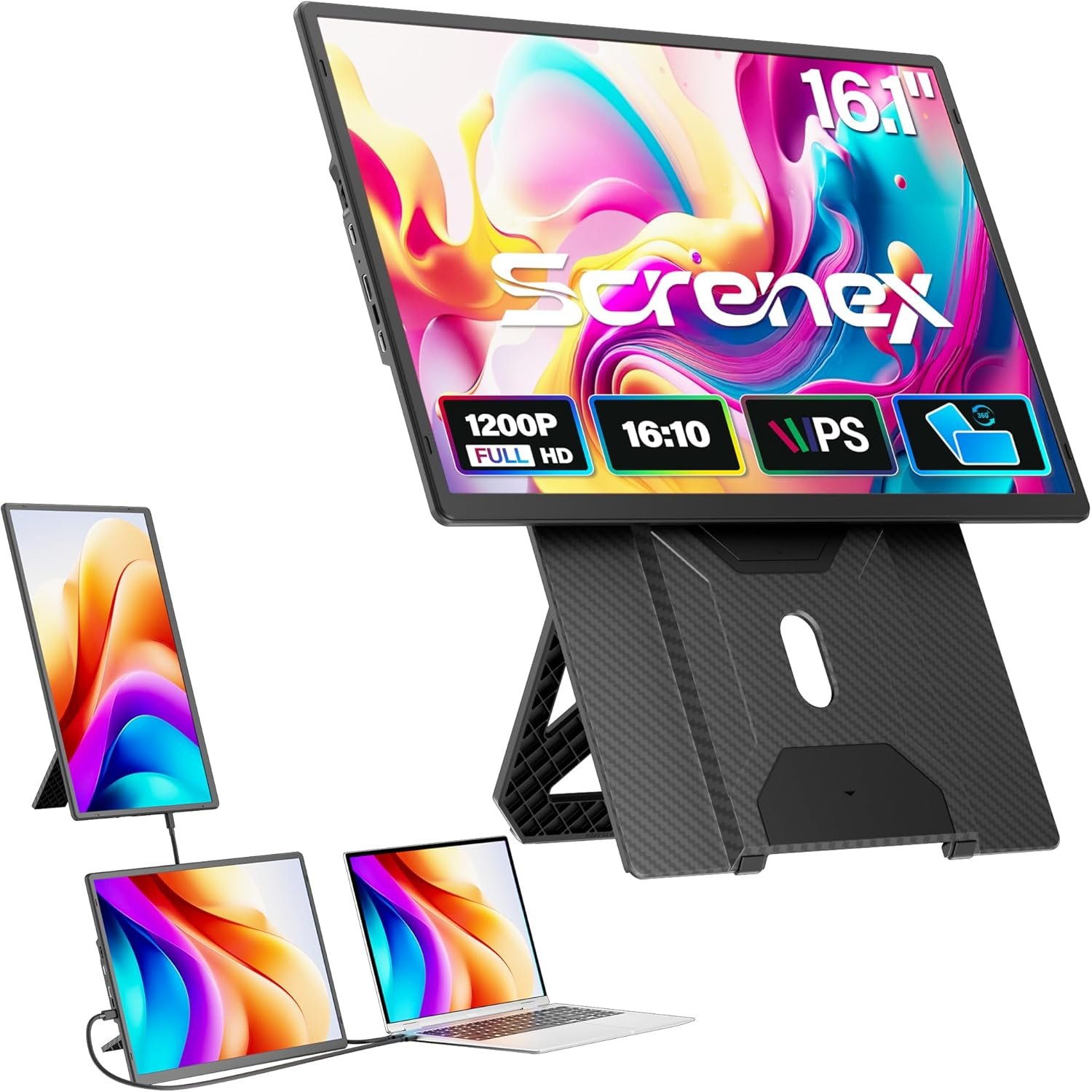


Laptop Screen Extender 16.1″, 1920 * 1200 Portable Monitor with Detachable Frame…
$119.99
Price: $119.99
(as of Jan 19, 2026 20:05:35 UTC – Details)
Product description

Reasons to Choose Screnex N2 16.1″ Portable Monitor
Plug-and-Play & Multi-Device: Screnex N2-16.1″ laptop screen extender enables quick laptop connection for a dual-screen workspace. dual-screen setups boost efficiency by 50%-perfect for multitasking.Effortless Stand & 360° Flexibility Simple to use: Magnetic attachment snaps into place, with up/down adjustments and 360° rotation. Works with all laptops, fitting every user’s needs.Custom Controls & Versatile Ports: The N2 supports custom brightness, volume, contrast tweaks. MINI HDMI/Type-C ports let you connect laptops, consoles directly – no docking station needed.Detachable & Dual-Screen Modes: Detach to use as a single landscape/portrait screen. Super straightforward to operate, and it meets all angle/space needs.If you want to boost work efficiency but worry about fussy connections, uncomfortable screen angles, or complicated setup, the N2 Laptop Screen Extender solves these concerns. It simplifies screen-to-screen connections, eliminates the hassle of switching between tasks, and turns every work or creative moment into a chance to expand your view freely – no more single-screen limits.

Visual Excellence: 16.1-inch IPS wide-view panel with 1920×1200 resolution and 300CD/㎡ brightness delivers crisp details, vivid colors, and consistent clarity from any angle – perfect for photo editing, movie streaming, or gaming.Steady on Flat Surfaces: Place monitor on desks, coffee tables, or any flat area – the sturdy stand ensures rock-solid stability. Rotate 360° or adjust height freely.Portable Without Compromise: Weighing just 1.27 kg with a compact 368×237×29.5mm design, it slips into your bag with ease.

16.1-inch Portable Monitor Ready for Any Scene Anywhere

Connection Methods:
1.Type-C Connection (Laptop with Full-Featured Type-C Port)
Use one USB-C to USB-C cable:
Connect from the screen extender’s Type-C port (1st or 2nd) to your laptop’s full-featured Type-C port.
2.USB + HDMI Connection (Laptop with USB-A/USB-C + HDMI Port)
Use two cables:
HDMI to MINI HDMI cable (connect to the screen’s MINI HDMI port).
USB-A to USB-C cable or USB-C to USB-C cable (connect to the screen’s 1st or 2nd port for power).
Notes:
Ensure the HDMI-to-MINI HDMI cable links to the screen’s MINI HDMI port, and the USB cable (A/C to C) connects to the 1st/2nd port for power.If there’s no signal or unstable signal, connect an external 5V/2A power adapter.


【Detachable Frameless Design & Plug & Play】16.1″ detachable frameless laptop screen extender with dual connection options: A single full-function Type-C cable (video/audio/power) or standard HDMI+USB-A cables. All three cables are included for true plug-and-play convenience across Windows, macOS (Note: excludes M1/M2/M3), Linux, and ChromeOS-no drivers needed
【16-inch FHD IPS Display for Expansive Viewing】Maximize digital real estate with a crisp 16.1″, 1920×1200 IPS laptop screen. The 16:10 aspect ratio offers extra vertical space-ideal for full web pages, long documents, or complex spreadsheets. With 300 nits brightness and an anti-glare matte finish, this portable monitor ensures clear, comfortable viewing even in bright settings
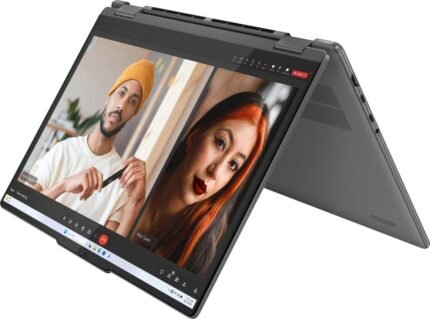
【360° Rotatable Magnetic Stand for Flexibility】The dual portable monitor offers stands to fully adapted to the angles and spaces you need. Use the sturdy detachable stand for stable desktop viewing, or attach the ultra-slim magnetic cover for 360° rotation-switching easily between landscape and portrait modes. Detach the portable monitor screen to mount it on a single-screen stand for landscape or portrait display. Its intuitive use and easy setup ensure a smooth experience. Also supports 75x75mm VESA mounting for added flexibility
【Ultra-Portable Travel Monitor for Productivity】This laptop monitor features mobility. Weighing just 2.8 lbs with an ultra-slim profile, this travel portable monitor fits easily in laptop bags/backpacks. Instantly create a dual-screen workstation anywhere-perfect for business travelers, remote workers, or students to boost productivity
【Broad Compatibility & User-Centric Details】Extend your connectivity beyond the laptop. Supports screen mirroring and desktop mode for modern smartphones. Watch videos, give presentations, or manage mobile tasks on a larger, more comfortable display-ideal for both work and entertainment. For any assistance, our dedicated support team is committed to ensuring a truly worry-free usage experience for you




4-core-N95-12GB-DDR5-RAM-512GB-SSD-12-Inch-2-430x310.jpg)




Reviews
There are no reviews yet.