

Blog
Using Lenovo’s Yoga Book 3D Laptop Felt Like Borrowing Tools From the Future

Get ready to throw some hands…at your laptop screen. Alongside its radical ThinkBook Modular AI Laptop and the Legion Go Fold prototypes, Lenovo announced the Yoga Book Pro 3D Concept this week at MWC 2026, and it looks and feels like an experience out of Minority Report.
While 3D screen tech has cooled off over the years, this concept is laser-targeted at creators. This laptop is a glasses-free 3D device with two OLED displays. You can interact with the panels via gestures and with some interesting creative accessories.
The Lenovo Yoga Book Pro 3D Concept is only a demo machine for now, with no assurance it will come to market, but I had a chance to go hands on with the device before its announcement. While I’m no 3D modeler or digital designer, this concept still feels like working in the future.
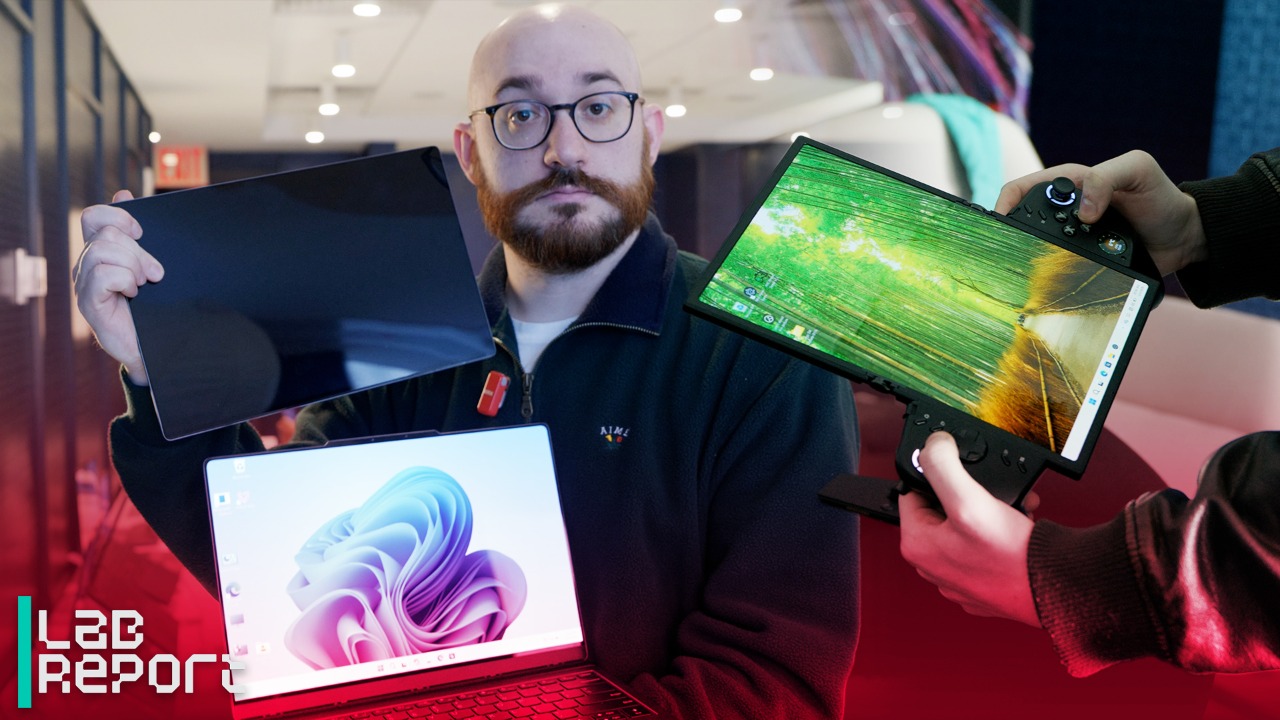

Lenovo Lets Loose Three New Laptop Concepts: Here’s Our Favorite
A Two-Screen Design Where One Screen Breaks the Rules
In the not-so-distant past, a dual-screen laptop would itself be a futuristic device. By now, we’ve seen several full-retail laptops with two displays, and the screens on the Yoga Book Pro 3D are just one piece of the overall concept.

(Credit: Joseph Maldonado)
At its base level, this is a slick laptop with dual 3.2K tandem OLED screens—a boon for productivity, any day—that Lenovo dubs PureSightPro panels. Any creator-centric laptop worth its weight needs a discrete graphics chip (particularly for powering 3D images), and this device features an undeniably robust Nvidia GeForce RTX 5070 GPU. That and an Intel Core Ultra 7 processor are the current main components in the prototype, but they are subject to change if this laptop ever does come to market.

(Credit: Joseph Maldonado)
Unlike some past 3D devices, the Yoga Book Pro 3D Concept is built less for viewing and enjoying 3D media and more for 3D content developers and users in other fields that work with 3D models. The 3D-capable screen (the top panel) is effective when viewed in person but challenging to capture in photography. Like with most 3D screens, you’ll have to find the viewing sweet spot, centered on the screen laterally and vertically, and stay positioned there for the 3D effect to be properly visible.

(Credit: Joseph Maldonado)
Sitting centrally is a must for a clear picture, but it does work well once you look straight at the display, no 3D glasses needed. The laptop also includes a built-in kickstand that raises the screen several inches for a better head-on angle.

Get Our Best Stories!
Your Daily Dose of Our Top Tech News

By clicking Sign Me Up, you confirm you are 16+ and agree to our Terms of Use and Privacy
Policy.
Thanks for signing up!
Your subscription has been confirmed. Keep an eye on your inbox!
Using the Yoga Book Pro 3D Concept: Cool Tricks for Creators
If you’re working on a 3D model (as Lenovo emphasized in our demos) on this laptop, you can view and rotate the asset in real time in 3D space to edit your work. One of the concept’s innovations revolves around this part of the workflow. The RGB camera built into the top display lets you manipulate your on-screen assets with gestures.

(Credit: Joseph Maldonado)
You can spin or rotate an object in place by holding your fist up in front of the screen and rotating it in place, which is a fairly natural motion. Zooming in and out is a little more awkward; the required gesture looks like making an “OK” sign with both hands, then pulling your hands toward or away from the screen.
These actions take only brief instruction to learn, and work well most of the time. It’s not without issue, though: On the prototype I tried, the screen occasionally lost track of my hands, or didn’t quite pick up the symbol I was making. And I found it can be hard to make smaller, subtle movements. Realigning in front of the screen and starting again usually successfully resets the tracking. These controls are a neat trick, but you have to pull your hands away from your touchpad and keyboard to execute them, and it may be less precise than traditional mouse or pointer controls.
Recommended by Our Editors
The bottom screen has some tricks of its own. For one, it works in concert with the 3D display: By dragging upward on the bottom touch display, you can “send” 2D assets up to the top screen, converting them to 3D in one motion. This trick is, of course, application-dependent, and Lenovo had its own demo AI software set up just to enable this functionality. It’s all part of selling what a concept could do.

(Credit: Joseph Maldonado)
One of the laptop’s neatest tricks has to do with some unassuming plastic accessories, for use with the bottom screen only. One of these pieces is a plastic frame with a circle cutout, and the other is a longer shape with an oval cutout. They come to life only when you place them on the bottom screen, with a compatible application open.

(Credit: Joseph Maldonado)
Placing and removing one of the frames leaves behind a matching-shaped digital tool on the display where you placed it, which feels a bit like magic. In the demo software, removing the longer piece left behind a color gradient bar to change an object’s hue, while the circular piece created a lighting-source direction wheel. This accessory play is another developer-centric idea for this creator laptop; most users wouldn’t be interested in such features, but a designer who works with a host of sliders and wheels might find this a clever way of calling up a control on top of their work on the lower panel.

(Credit: Joseph Maldonado)

(Credit: Joseph Maldonado)
Early Takeaway: Promising Ideas That Feel a Generation Ahead
I’m not a 3D developer, so I can’t honestly say whether any of these features would enhance my workflow. But I can see how all of these ideas, brought together into a single slick device, could add up to a cohesive, compelling concept for creative users working in programs like Blender and AutoCAD. Whether the Yoga Book Pro 3D Concept ever comes to market in this form remains to be seen, but I think it’s plausible that we will see at least some of these features in a future device.
About Our Expert

Matthew Buzzi
Principal Writer, Hardware
Experience
I’ve been a consumer PC expert at PCMag for 10 years, and I love PC gaming. I’ve played games on my computer for as long as I can remember, which eventually (as it does for many) led me to build and upgrade my own desktops to this day. Through my years at PCMag, I’ve tested and reviewed many, many dozens of laptops and desktops, and I am always happy to recommend a PC for your needs and budget.
Read Full Bio
Related Posts

We Uncovered Massive Laptop and Desktop Deals From Lenovo, Dell, Apple and More at Amazon’s Big Spring Sale
-
Posted by
laptops@bestnewlaptops.com

Amazon’s Big Spring Sale Has Huge Laptop and Desktop Deals From Acer, Apple, Asus, and More
-
Posted by

LG Display Targets Longer Laptop Battery Life With 1Hz Screens
-
Posted by

This $239 ThinkPad Is the Travel Laptop Your Tablet Wishes It Was
-
Posted by

MacBook Neo Is Apple’s Most Repairable Laptop
-
Posted by

Best Laptop Deal of the Day: Save $500 on This HP OmniBook 7
-
Posted by

Lenovo Yoga Pro 9i Gen 10 Aura Edition Review: Amped Up for Everyday Media Work
-
Posted by

HP Now Lets You Rent a Gaming Laptop, Starting at $50 Per Month
-
Posted by

Dynabook Tecra A40-M (Series 2) Review: Built Like a Budget Laptop, But Not Priced Like One
-
Posted by

Best Laptop Deal of the Day: Blast $350 Off This Acer Gaming Rig
-
Posted by

A Near-Mint Microsoft Surface Laptop 3 With Touchscreen Display Is Just $400
-
Posted by

Best Laptop Deal of the Day: This Lenovo IdeaPad Is Now 37% Off
-
Posted by